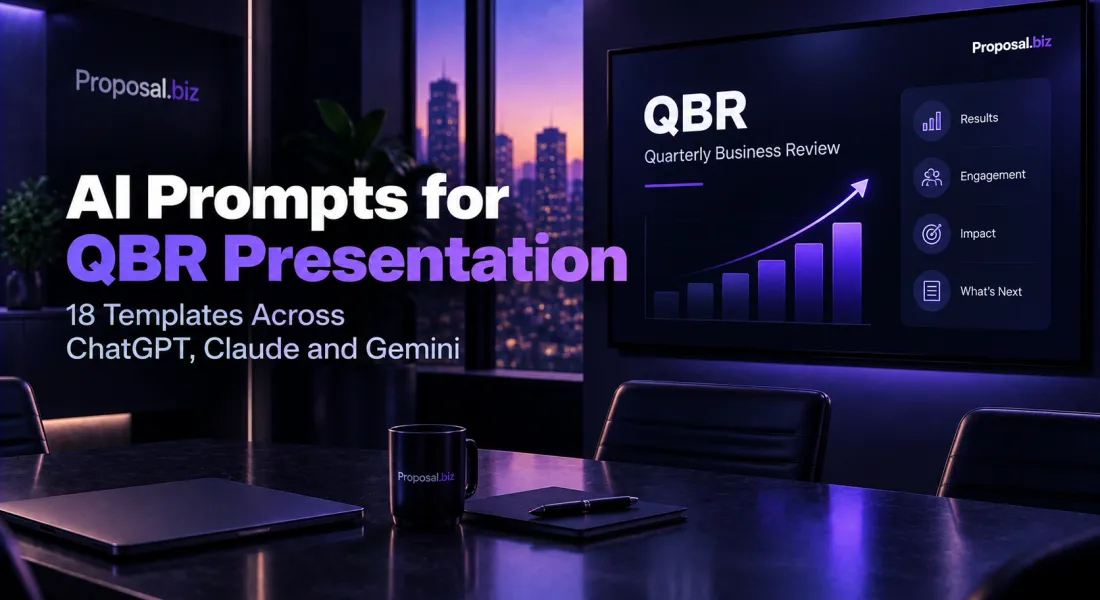
A quarterly business review is one of the few recurring documents a customer actually agrees to sit through, which makes wasting the slot a genuine missed opportunity. The same underlying structure repeats every quarter, results, usage, roadmap, next steps, which makes it an unusually good candidate for a prompt library: build it once, well, and adapt it every quarter instead of starting from a blank deck each time. Most QBRs either drown the customer in every metric the platform tracks, or stay so generic they could have been presented to any account.
The 18 templates here, divided across ChatGPT, Claude and Gemini, treat the QBR as a recurring document worth systematising, not reinventing every quarter. The ChatGPT prompts cover full decks, executive-audience versions and quick metric narratives. The Claude prompts handle detailed usage analysis, roadmap alignment sections and honest framing when a quarter’s results were mixed. The Gemini prompts research the customer’s current business priorities so the review connects results to what the customer actually cares about this quarter, not last quarter’s assumptions.
Why AI Works Well For QBR Presentations
A QBR presentation is a structured, recurring document with the same skeleton every quarter and different numbers inside it, unlike a one-off proposal built fresh each time. AI handles that combination well once the brief includes the actual quarter’s data, not a generic request to “build a QBR deck.”
Each Model Has A Different Edge
ChatGPT is the most flexible for a first draft and executive-audience versions. Claude is strongest on detailed usage analysis and honest framing of a mixed quarter. Gemini is the right choice when the review should connect to the customer’s current business priorities.
Fewer Metrics, More Meaning
A QBR that shows every available metric overwhelms the room. Pick the 3-5 that actually tell the story of the quarter, and cut the rest to an appendix the customer can ask about if they want it, the same selectivity that matters when you first learn how to track proposal engagement.
The Roadmap Section Is Where Renewal Gets Decided
Results explain the past, the roadmap section is where the customer decides whether the relationship keeps being worth it. Connect what is coming next explicitly to what the customer has told you they care about.
A Mixed Quarter Still Needs An Honest QBR
The instinct to skip or soften a QBR after a weak quarter is exactly backwards. An honest review of what went wrong and what is changing builds more trust than silence does.
ChatGPT Prompts For QBR Presentations
ChatGPT is the flexible workhorse for QBR drafting, pairing naturally with the document analytics that shows what the customer actually reviewed. It handles full decks, executive-audience versions and quick metric narratives. These six ChatGPT prompts for QBR presentation writing cover the situations customer success and account teams face every quarter. Each ChatGPT prompt for QBR presentation below is built around a specific scenario, so you can pick the right ChatGPT prompt for QBR presentation for the job rather than starting from a blank page.
1. Full QBR Deck From Quarterly Data
Act as a customer success manager building a quarterly
business review presentation.
Context:
- Customer: [name]
- Quarter covered: [e.g. Q3 2026]
- Key metrics this quarter: [usage stats, results, outcomes,
however raw]
- Notable wins: [list them]
- Notable challenges: [list them honestly]
- What is coming next quarter: [roadmap or plan]
Write a complete QBR presentation outline with slide-by-slide
content.
Structure:
1. Quarter at a glance, 3-5 headline metrics
2. Wins and outcomes achieved
3. Challenges, addressed honestly
4. Usage trends over the quarter
5. What's next, roadmap or plan for next quarter
6. Discussion points and open questions
Rules: pick the 3-5 metrics that actually tell the story, not
every available number. Address challenges honestly, do not omit
them.
Where it works best: ChatGPT produces a complete, appropriately curated deck outline fast, with metric selection already prioritised rather than dumping every available number. This is the ChatGPT prompt for QBR presentation most teams reach for first.
Best for: Building the standard quarterly review before a scheduled customer meeting.
Turn this deck into a branded presentation in 60 seconds
Paste your website URL and Proposal.biz pulls your brand and account data into a Smart Content Library, so every QBR looks polished without rebuilding the template each quarter.
2. Executive-Audience QBR Version
Act as a customer success manager adapting a QBR for an
executive audience who will not sit through product-level detail.
Context:
Standard QBR content: [paste the detailed version, or key points]
Executive attending: [role, e.g. VP or C-level sponsor]
Business outcome that matters most to them: [ROI, time saved,
revenue impact]
Task:
Write an executive-audience version of the QBR.
Rules:
- Cut to 3-4 slides maximum, headline results, business impact,
one ask or discussion point, next steps.
- Translate product metrics into business language (cost, time,
revenue), not usage statistics.
- No product-level detail unless directly tied to a business
outcome.
- Confident and concise, executives will not sit through a
product walkthrough.
Where it works best: ChatGPT compresses detailed content into an appropriately business-focused version fast, which matters since the wrong altitude of detail is the most common reason executive QBR slots get cancelled.
Best for: QBRs where an executive sponsor is attending alongside or instead of the day-to-day product user.
3. Quarter-Over-Quarter Metric Narrative
You are a customer success manager writing the narrative
that explains what changed between quarters.
Context:
This quarter's key metrics: [figures]
Last quarter's key metrics: [figures]
Context for any significant change: [what drove it, if known]
Task:
Write a quarter-over-quarter narrative for the top 3-5 metrics.
Rules:
- State the change plainly, up or down, with the actual numbers.
- Explain the likely driver briefly, do not leave a significant
change unexplained.
- If a metric declined, address it honestly rather than burying
it among positive ones.
- Keep each metric's narrative to 2-3 sentences.
Where it works best: ChatGPT writes a clear, honest quarter-over-quarter comparison quickly, which is the section customers scrutinise most closely if they are tracking their own usage independently.
Best for: The core narrative section that explains movement in the headline metrics.
4. Rewrite A Metric-Heavy Deck To Be Story-Led
You are an editor turning a metric-dump QBR deck into a
story-led one.
Current deck content: [paste the current version, or a list of
every metric currently included]
Task:
Rewrite this to lead with a story, not a data dump.
Instructions:
- Identify the 3-5 metrics that actually matter to the story of
this quarter, and lead with those.
- Move remaining metrics to an appendix section, available if
asked, not presented by default.
- Add a one-sentence narrative connecting the headline metrics
to the customer's actual goals.
Where it works best: ChatGPT is fast at identifying which metrics actually carry the story and restructuring around them rather than presenting everything with equal weight.
Best for: A deck that has accurate data but reads as an undifferentiated dashboard export rather than a narrative.
5. QBR Agenda And Pre-Read Email
You are a customer success manager sending the agenda
and pre-read before a QBR meeting.
Context:
Customer: [name]
Meeting date and duration: [details]
Key topics to be covered: [from the QBR content]
Anything you want the customer to prepare or think about
beforehand: [optional]
Write a short pre-read email with agenda.
Rules:
- List the agenda clearly, 3-5 items.
- If there is a specific discussion point needing their input
beforehand, flag it.
- Under 120 words.
- Professional and efficient, respects that this is a recurring
meeting, not a first introduction.
Where it works best: ChatGPT writes a concise pre-read that respects the recurring nature of the meeting rather than over-explaining, which busy customer stakeholders appreciate.
Best for: Setting expectations and getting the right stakeholders prepared before the QBR happens.
6. Post-QBR Follow-Up Summary (Bonus)
You are a customer success manager sending a follow-up
summary after a QBR meeting.
Context:
Key points discussed: [summarise the actual conversation]
Decisions made or agreed next steps: [list them]
Any open items needing follow-up: [list them, with owner if known]
Write a post-QBR follow-up summary.
Rules:
- Confirm what was discussed and decided, briefly.
- List action items clearly with an owner for each.
- Under 200 words.
- Professional, this becomes the written record of what was
agreed.
Where it works best: ChatGPT writes a clean action-item summary quickly, which matters since this document often becomes the reference point if a commitment is questioned later.
Best for: Closing the loop after a QBR meeting with a clear written record of what was agreed.
Claude Prompts For QBR Presentations
Claude is the right model when usage analysis needs to be detailed and precise, a recurring need for SaaS account teams, when the roadmap section needs to align carefully with customer priorities, or when a mixed quarter needs honest, careful framing. These six Claude prompts for QBR presentation writing handle the situations where precision matters most. Each Claude prompt for QBR presentation below is built around a specific scenario, so you can pick the right Claude prompt for QBR presentation for the job rather than starting from a blank page.
1. Full QBR From Raw Account Data
You are a customer success manager building a QBR from
raw account data.
Account data: [paste usage stats, support history, adoption data,
however raw and extensive]
Quarter: [dates]
Known context: [any account-specific context worth knowing]
Task:
Turn this raw data into a complete, well-structured QBR
presentation outline.
Instructions:
- Identify the 3-5 metrics that best tell this quarter's story
and lead with them.
- Note any concerning signal in the data (declining usage, support
friction) and address it honestly in a challenges section.
- Suggest 2-3 discussion points based on what the data actually
shows, not generic questions.
Produce the full outline: quarter at a glance, wins, challenges,
usage trends, discussion points, next steps.
Where it works best: Claude reads extensive raw data faithfully and builds a genuinely evidence-based QBR rather than a generic template with numbers dropped in. This is the Claude prompt for QBR presentation most teams reach for first.
Best for: Accounts with substantial usage data available where a data-grounded QBR will land more credibly than a generic one.
Know exactly which slides the customer engages with
Send your QBR as a trackable link before the meeting instead of a static PDF, and see which sections the customer actually reviewed beforehand, so you know where to focus the conversation.
2. Detailed Usage Analysis Section
You are an analyst writing the detailed usage analysis
section of a QBR, the section power users and technical
stakeholders will scrutinise.
Usage data: [paste detailed feature-level or department-level
usage data]
Task:
Write a detailed usage analysis section.
Requirements:
- Break down usage by the most relevant dimension (feature,
department, user role), whichever tells the clearest story.
- Identify any underused feature that could unlock more value if
adopted, and suggest it specifically.
- Identify any usage pattern that suggests risk (a key feature
going unused, a power user going quiet) and flag it honestly.
Rules: precise, data-grounded language. Avoid vague summary
statements not backed by the specific data provided.
Where it works best: Claude holds a detailed, multi-dimensional data breakdown accurately, which is exactly what a technical or power-user stakeholder in the room will be checking closely.
Best for: QBRs with a technical or power-user audience who will scrutinise the usage detail closely.
3. Roadmap Alignment Section
You are a customer success manager aligning the product
roadmap section of a QBR with what this specific customer has
said they care about.
Context:
Upcoming roadmap items: [list what's coming, generally]
What this customer has specifically asked for or cares about:
[from past conversations, support tickets, feature requests]
Task:
Write a roadmap alignment section.
Requirements:
- Lead with roadmap items that directly connect to what this
customer has asked for, not a generic roadmap overview.
- Be honest about timing, do not overpromise a date that is not
confirmed.
- If something they asked for is not on the roadmap, address that
honestly rather than avoiding the topic.
Rules: never commit to a specific date unless it is genuinely
confirmed.
Where it works best: Claude is careful about not overpromising roadmap timing while still making the alignment to the customer’s actual stated needs feel genuine rather than generic.
Best for: The section most likely to influence whether the customer sees continued value in the relationship.
4. Honest Framing For A Mixed Or Weak Quarter
You are a customer success manager presenting a QBR
after a quarter where results were mixed or below target.
Context:
What went well, if anything: [list it honestly]
What fell short: [be specific about the gap]
Root cause, if known: [your honest understanding]
What is changing to address it: [specific actions, not vague
promises]
Task:
Write the results section of the QBR honestly.
Rules:
- Do not lead with the negative, but do not bury it either, state
results plainly in the first two sentences.
- Name the root cause specifically if known, avoid vague language
like "some challenges."
- Present the corrective action with specifics, not just
reassurance.
- Confident, accountable tone, not defensive or apologetic.
Where it works best: Claude is measured and precise about naming a root cause honestly without becoming defensive, which is exactly the tone that preserves trust through a difficult quarter.
Best for: The quarter every customer success manager dreads presenting, and the one where an honest QBR matters most.
5. Multi-Stakeholder QBR (Different Audiences In One Room)
You are a customer success manager building a QBR for
a meeting with multiple stakeholder types in the room at once.
Context:
Attendees: [list roles, e.g. day-to-day admin, department head,
executive sponsor]
What each role likely cares about most: [your read]
Task:
Write a QBR structured to serve multiple audiences in one
presentation.
Requirements:
- Open with an executive-level summary slide for the highest-level
attendee.
- Follow with detail sections that serve the day-to-day user
without losing the executive's attention.
- Close with a discussion section relevant to decisions the
executive sponsor would actually make.
Rules: do not write three separate decks stitched together, this
should read as one coherent presentation with a clear structure.
Where it works best: Claude structures a genuinely coherent multi-audience presentation rather than three disconnected sections, which is a common failure mode when trying to serve every stakeholder equally.
Best for: Larger accounts where the QBR audience spans from day-to-day users to an executive sponsor in a single meeting.
6. Tighten An Existing QBR Deck
You are a careful editor of QBR presentations.
Draft outline or content:
[paste the current draft]
Task:
Tighten this without losing any essential data point or honest
framing.
Instructions:
- Cut slides or sections that do not serve the core story of the
quarter.
- Confirm the challenges section, if one exists, has not been
softened into vagueness during editing.
- Confirm the top 3-5 metrics are still clearly the headline,
not buried among secondary ones.
Output:
1. The tightened outline.
2. A short list of what was cut and why.
Where it works best: Claude edits with restraint and specifically checks that honest framing of challenges has not been softened away in the process of tightening, which is an easy unintended side effect of editing for brevity.
Best for: A QBR that has the right content but runs long or has lost focus on its core 3-5 metrics.
Gemini Prompts For QBR Presentations
Gemini’s live web grounding is the right tool when the QBR should connect to the customer’s current business priorities, not just internal usage data from our own side, reinforcing the same case made in the ROI of proposal software. These six Gemini prompts for QBR presentation writing turn a generic quarterly update into one that reads as genuinely aligned. Each Gemini prompt for QBR presentation below is built around a specific scenario, so you can pick the right Gemini prompt for QBR presentation for the job rather than starting from a blank page.
1. Research-Backed QBR Aligned To Customer Priorities
You are a customer success manager who checks a
customer's current business priorities before building their QBR.
Step 1: Research [customer company] using current web information.
Look for:
- Recent company news, strategic priorities, or public statements
- Anything that suggests what they are focused on this quarter
Step 2: Write a QBR opening section informed by what you find.
Requirements:
- Reference one specific, current fact about the customer's
priorities.
- Connect our results and roadmap explicitly to what they appear
focused on right now.
- Cite sources for any specific claim.
This turns a generic AI prompt for QBR presentation writing into
a review that reads as genuinely aligned with the customer's
current priorities.
Where it works best: Gemini’s live web grounding surfaces genuinely current context about the customer’s priorities that internal usage data alone would not reveal. This is the Gemini prompt for QBR presentation most teams reach for first.
Best for: Strategic or larger accounts where a generic quarterly update would undersell how well the relationship is actually understood.
Draft, brand, send and track every quarterly review in one window
Keep the whole QBR cadence in one place: AI-assisted drafting each quarter, automatic branding, a trackable link to send ahead of the meeting, and analytics that show engagement over time.
2. Industry Benchmark Context For Usage Metrics
You are an analyst researching how this customer's
usage compares to typical benchmarks in their industry, adding
external context to internal numbers.
Step 1: Research typical usage or adoption benchmarks for [our
product category] in [customer's industry]. Find reported
benchmarks and their sources.
Step 2: Write a short benchmark comparison to include in the QBR,
positioning our customer's usage against the researched norm.
Our customer's usage data: [paste key figures]
Rules: cite sources. Use the comparison to add credibility, not
to make the customer feel judged, frame positively where the data
allows.
Where it works best: Gemini’s web grounding adds credible external context to internal metrics, which is more persuasive than an internal number presented without any comparison point.
Best for: QBRs where demonstrating strong relative performance, not just absolute numbers, strengthens the value story.
3. Customer’s Recent Public Initiatives Research
You are a customer success manager checking for new
public initiatives from a customer that our roadmap might support.
Step 1: Research recent public announcements from [customer
company] in the last 3-6 months about new projects, initiatives,
or priorities.
Step 2: Write a short note on how our product or roadmap could
support any initiative found, for use in the QBR.
Rules: cite sources. Only include if the connection is genuine,
do not force an unrelated initiative into the discussion.
Where it works best: Gemini’s recency surfaces new initiatives the customer may not have yet connected to our roadmap, opening a genuine expansion conversation.
Best for: QBRs where an expansion or upsell conversation is worth having but needs a genuine, current hook.
4. Competitive Landscape Awareness
You are a customer success manager checking the
competitive landscape the customer operates in, to frame our
value in terms relevant to their market pressures.
Step 1: Research current competitive or market pressures in
[customer's industry] relevant to what our product helps with.
Step 2: Write a short paragraph connecting our value to the
pressures the customer is likely navigating, for use in the QBR's
opening or results framing.
Rules: cite sources. The connection must be genuine, not a
generic industry observation forced into the narrative.
Where it works best: Gemini’s research grounds the value narrative in the customer’s actual market context rather than generic product benefits language.
Best for: QBRs where framing results against real market pressure strengthens the case for continued or expanded investment.
5. Customer Leadership Change Check
You are a customer success manager checking for
leadership changes on the customer's side that might affect the
QBR audience or priorities.
Step 1: Research whether [customer company] has had any recent
leadership changes in departments relevant to our relationship.
Step 2: Write a short note on how this might affect the QBR,
new priorities to expect, new stakeholder to brief separately,
or continuity to reinforce.
Rules: cite sources. If nothing has changed, say so.
Where it works best: Gemini surfaces leadership changes that directly affect how a QBR should be pitched, a detail easy to miss if not actively checked before every quarter.
Best for: Accounts where a new stakeholder might be in the room, or priorities may have shifted with a leadership change.
6. Industry Regulatory Or Compliance Context
You are a customer success manager checking whether
recent regulatory changes in the customer's industry create a
relevant discussion point for the QBR.
Step 1: Research recent regulatory or compliance developments in
[customer's industry] in the last 6-12 months relevant to what
our product helps manage.
Step 2: Write a short note on whether this is worth raising in
the QBR, and how our product might help the customer respond.
Rules: cite sources. Only raise if genuinely relevant and useful
to the customer, not as a sales angle disguised as helpfulness.
Where it works best: Gemini’s web grounding catches regulatory context that can turn a routine QBR into a genuinely valuable strategic conversation when it is authentically relevant.
Best for: Regulated industries where a compliance-relevant update gives the QBR real strategic value beyond a status check.
How To Get More From Each Prompt
Treat The First Reply As A Draft
Ask for a sharper metric selection, a more honest framing of a weak quarter, or a tighter executive-audience cut. Each pass sharpens the deck before the meeting.
Chain Your Prompts
A strong QBR often sets up the case made later in a contract renewal proposal so keep the results story consistent between the two rather than treating them as unrelated documents.
Use the output of one prompt as the input to the next. A usage-analysis prompt can feed the full-QBR prompt, which can feed the executive-audience version.
Save What Works
When a QBR structure lands well with a customer, keep it as your template for that account, with a note on why. Over time you build a system that makes each new quarter faster than the last.
From Prompt To Branded Document
AI gives you the words. It does not give you a branded deck the customer actually reviews before the meeting, or tell you which slides they engaged with. That last stretch, formatting, sending ahead of time, and knowing where to focus the conversation, is usually where the time stacks up every single quarter.
This is where Proposal.biz fits in.
Paste Your Website URL – Proposal.biz pulls your brand assets into a Smart Content Library, so every quarterly deck looks polished without rebuilding the template from scratch.
Generate From A Prompt – Describe the quarter’s data and it produces a fully branded presentation, ready to refine in the Proposal Builder.
Send A Shareable, Trackable Link – Instead of a static PDF, you send a live link ahead of the meeting and see which sections the customer actually reviewed, so you walk in knowing what to focus on.
If you would rather start from a ready-made layout instead of a blank deck, the quarterly business review presentation template gives you the structure already built, ready to fill from any of the prompts above.
The simplest workflow: draft your QBR using whichever AI prompt for QBR presentation writing fits the scenario, then drop the copy into Proposal.biz to brand, send and track. You keep the AI tool’s drafting speed and add the document layer that shows you exactly what to focus the meeting on, then use any AI prompt to write a QBR presentation you have saved alongside it.
Final Word
A QBR earns its recurring slot on the calendar by being worth attending, not by existing. Pick the metrics that actually tell the quarter’s story, connect the roadmap to what this specific customer has said they care about, and present a mixed quarter as honestly as a strong one. The discipline lives in the habit most teams skip once the cadence becomes routine: rebuilding the story fresh each quarter instead of updating last quarter’s numbers on last quarter’s template.
Proposal.biz makes the document side of that work simpler. Paste your website URL and your account data, results and roadmap populate a Smart Content Library you draw from every quarter. The Proposal Builder turns your AI draft into a branded presentation, a shareable link replaces the static PDF, and view tracking shows you exactly which slides the customer reviewed before you walk into the room.
For the fuller reporting detail a QBR sometimes summarises, the prompts in AI prompts for Client Report cover the more detailed reporting document some customers want alongside the quarterly presentation.
Frequently Asked Questions
What is the best AI prompt for QBR presentation writing?
There is no single best prompt. For a standard quarterly deck, the ChatGPT prompt for QBR presentation building works well. For detailed usage analysis, roadmap alignment, or honestly framing a mixed quarter, the Claude templates handle the nuance that matters most. For a review that should connect to the customer’s current business priorities, the Gemini template researches that context first.
Which AI tool is best for writing a QBR presentation?
Each model has a different strength. ChatGPT is the most flexible for a first draft and executive-audience versions. Claude is best when usage data needs detailed analysis or a quarter’s results need honest, careful framing. Gemini wins when the review should reflect something genuinely current about the customer’s business or industry.
How many metrics should a QBR presentation include?
Three to five headline metrics is the range that actually gets absorbed in a typical meeting. Every other available metric can live in an appendix the customer can ask about if they want depth. A QBR that presents everything the platform tracks usually ends up presenting nothing memorably.
How do I present a QBR after a weak or mixed quarter?
State the result plainly rather than burying it under positive framing, name the likely root cause specifically, and present the corrective action with real detail rather than vague reassurance. An honest QBR after a difficult quarter builds more trust than a skipped or softened one, and the honest-framing template in this guide is built for exactly that conversation.
How do I turn the AI output into a branded, sent presentation?
AI gives you the words, not a branded deck or a way to know which slides the customer actually reviewed. Tools like Proposal.biz close that gap: paste your website URL to pull your brand into a Smart Content Library, generate a fully branded presentation from a prompt, then send a shareable, trackable link ahead of the meeting and see exactly what was reviewed.

Join Our Newsletter
Subscribe to our newsletter to get the latest updates and offers
This site is protected by reCAPTCHA and the Google Privacy Policy and Terms of Service apply.
* Will send you weekly updates for your better business management.